// mail — free on the App Store, Google Play and Windows
Email that sorts itself, and never leaves your device.
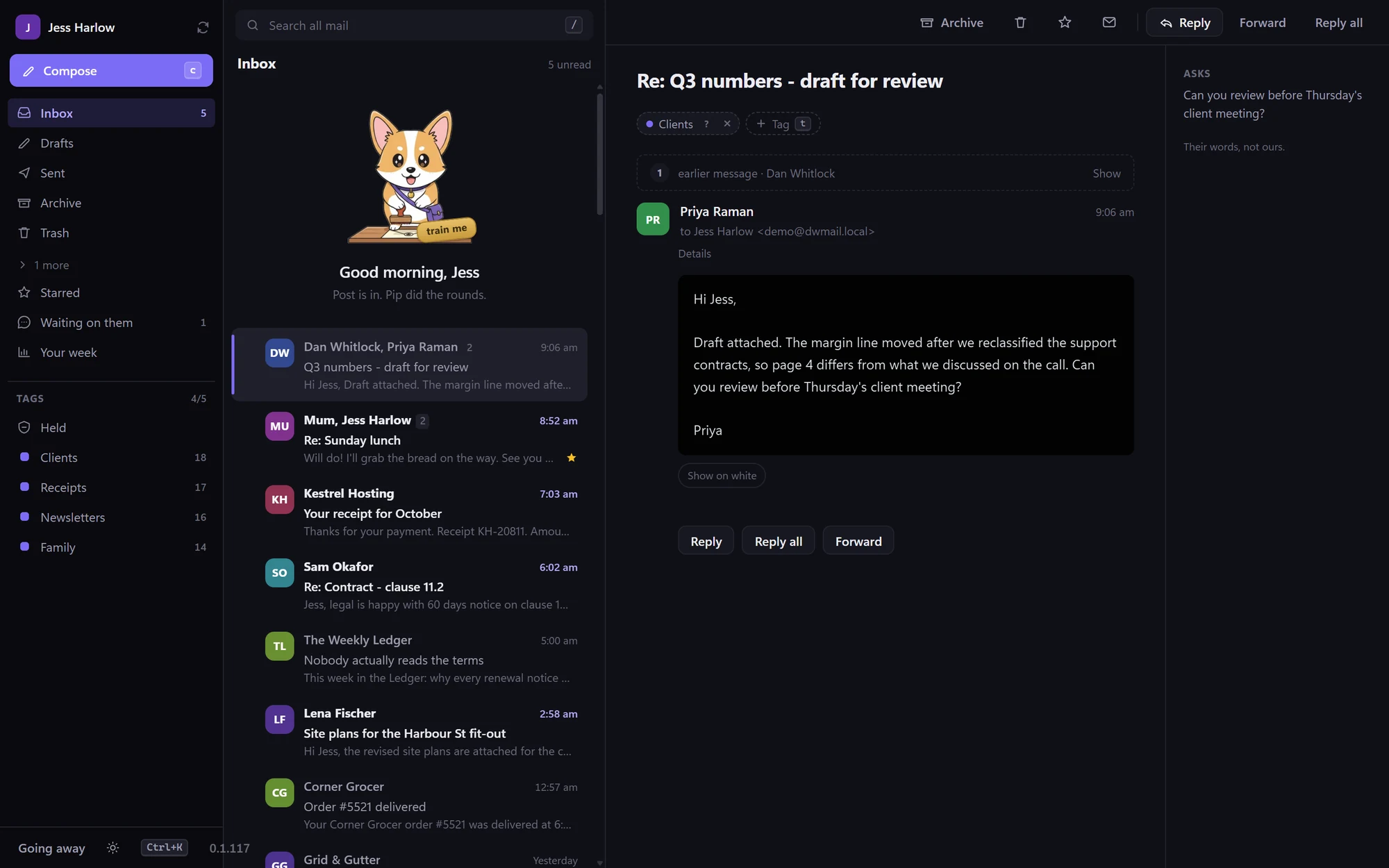
Your mail is kept on your phone or computer, so search is instant, it works with no signal, and nothing you open reports back to whoever sent it.
Tag about twenty messages the way you think about them and it starts sorting the rest, from a model built on your device, from your own tagging, that nobody else trained and nothing uploads.
Free, no account needed · iPhone, iPad, Android, Windows 10 / 11 · Microsoft 365, Outlook.com, or any IMAP mailbox
// part one — Mail on its own, no account needed
For anyone who wants a fast inbox that is theirs, whatever else they use.
Your inbox is the most-used window you have, and it has got slower and nosier.
In Outlook, Gmail and the apps built on them, your mail lives on someone else’s server, so every search is a round trip. Sorting is done by rules you cannot see or correct. A tracking pixel tells the sender you opened it, when, and roughly where. This goes the other way.
Fast, because it is already there
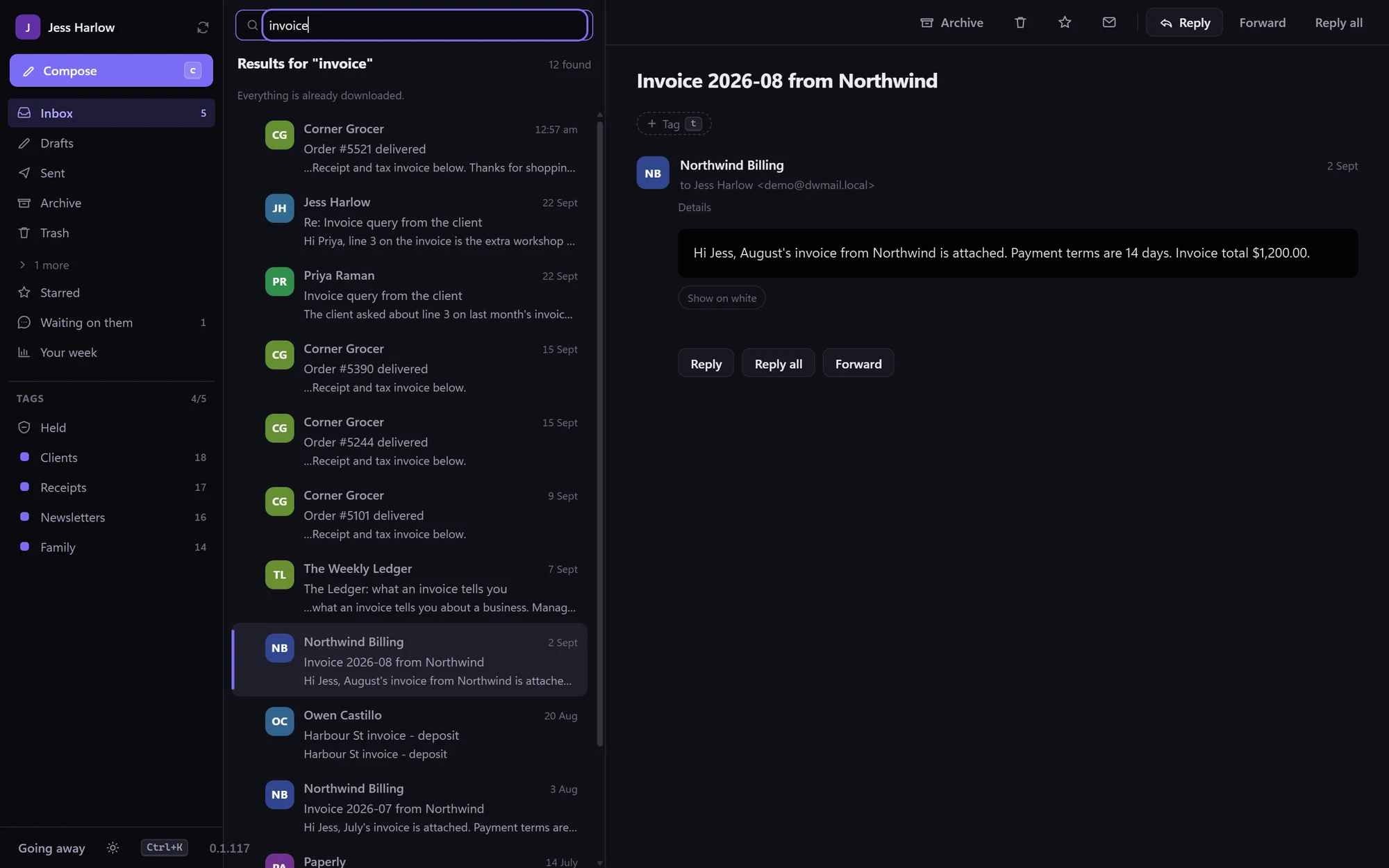
The whole mailbox is indexed on your device, every folder and every message body. Look for an invoice from last March and it is there before you finish typing. Archive or reply on a train with no signal and it catches up by itself.
Private, because there is nowhere else for it to go
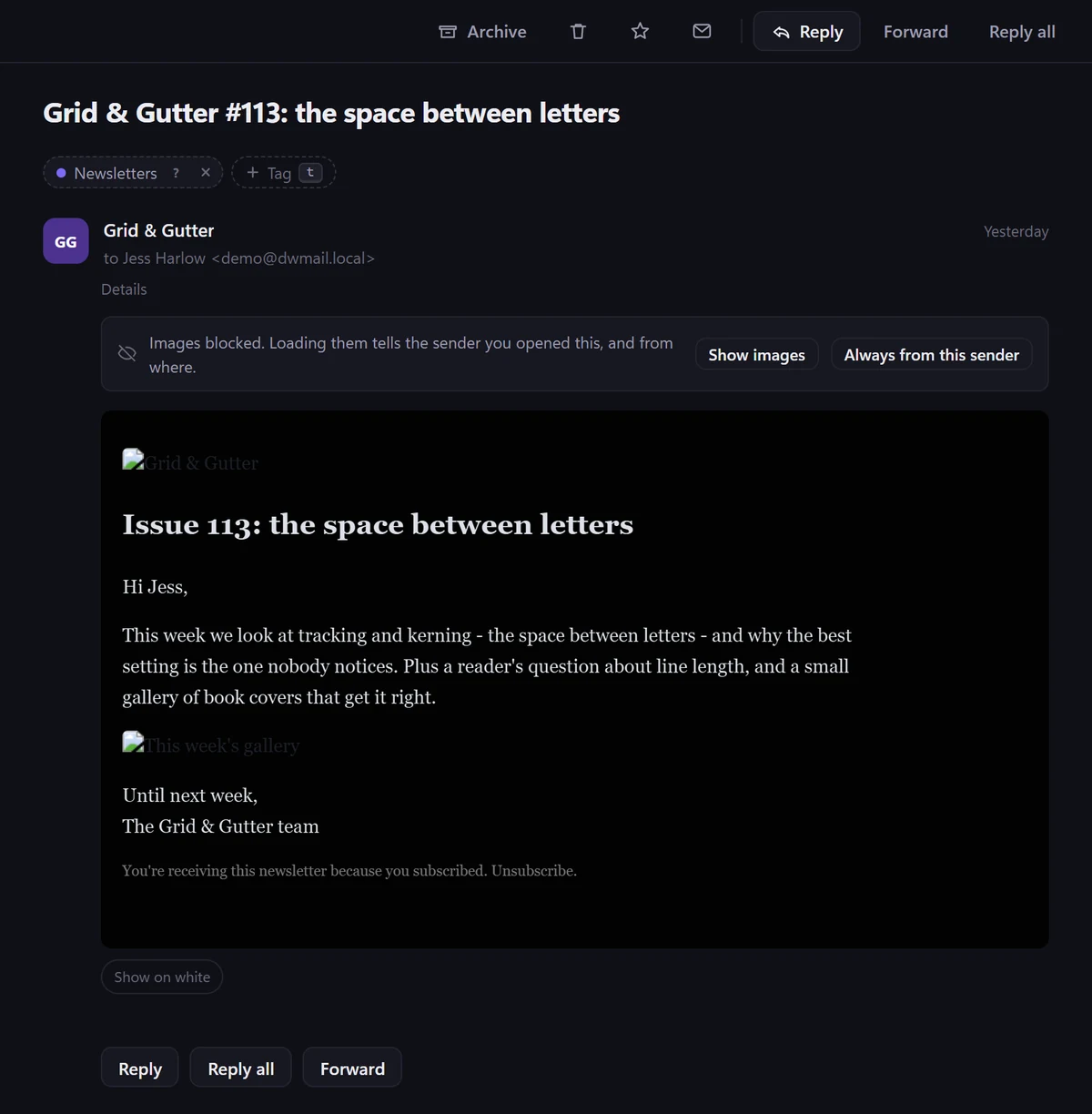
You do not need an account with us and there is no copy of your mail on our side. Images stay blocked until you ask, so tracking pixels never fire, and the sorting is learned and run on the device in your hand.
Sorted by you, not by someone else’s rules
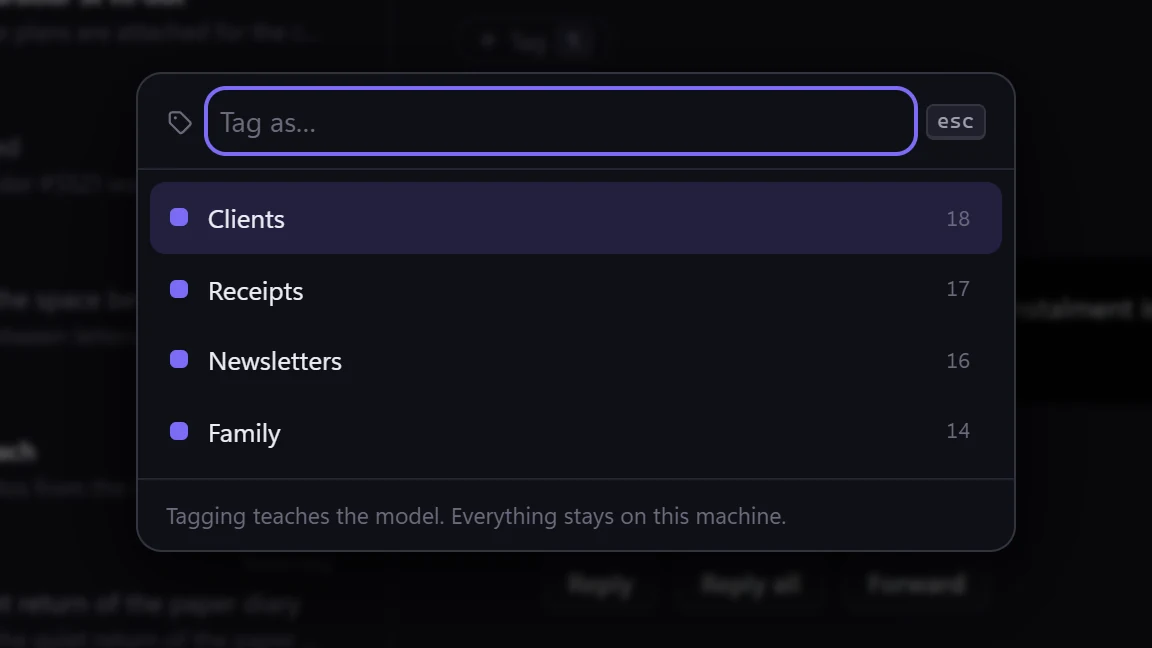
Tag mail the way you actually think of it: mum, invoices, school. It learns from that, shows you the words that convinced it, and takes a correction the first time you give it.
// how it works
About twenty messages, and it has got the idea.
01
Sign in the normal way
Microsoft 365 and Outlook.com sign in with a tap, no app password. Any other mailbox takes an address and password, and the server settings are worked out for you.
02
Your mail comes down to you
Recent mail arrives first, so you can read straight away while the rest catches up. Search then reads a local index instead of asking a server.
03
Tag about twenty messages
Call them whatever you call them. One pass down your inbox is enough to start, and a junk flag is just one more tag.
04
It takes over the sorting
New mail lands where it belongs. Get one wrong and you correct it once. Nothing is hidden from you and nothing is deleted.
// what it does for your day
Small things that save a morning.
What it is asking of you
When a message wants a reply, a signature or a payment, a panel points at the sentence doing the asking, when it is wanted by, and any amount. Quoted, never reworded.
Waiting on them, and your week
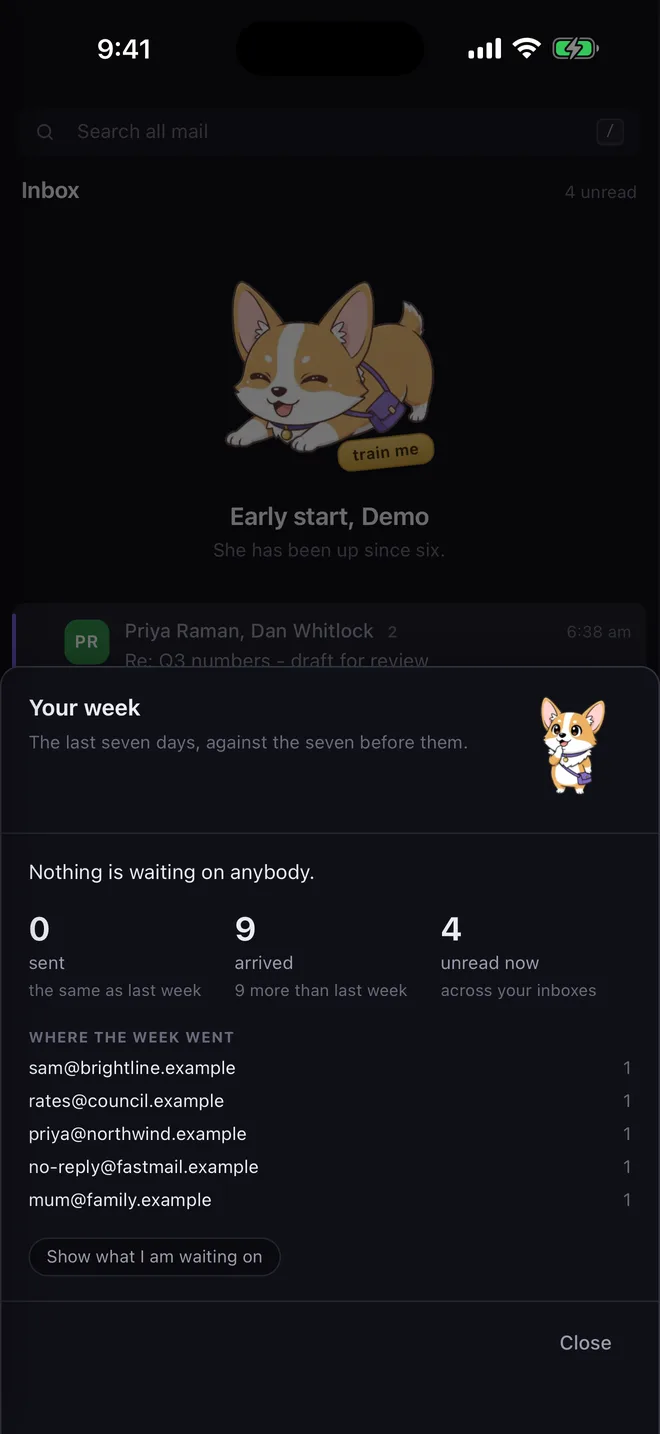
One list of every conversation where you wrote last and nobody answered, and a Friday-afternoon screen of what you sent, what arrived and where the week went.
Snooze, pin, swipe, undo
Swipe to archive, delete, snooze or pin, and you choose which way does what. Every one has an undo. Snooze until tonight, tomorrow or the weekend.
Meeting invitations, answered
An invitation becomes a card with Yes, Maybe and No, and a message that suggests a time tells you whether you are free. It stops there: it is not a calendar.
Also in there: a short version of long messages, shared mailboxes such as office@, every mailbox in one list, tray notifications with Archive and Delete on them, sending hours so a midnight reply goes at eight, and delivery times so new mail waits for 9, 1 and 5.
// on your phone and your iPad
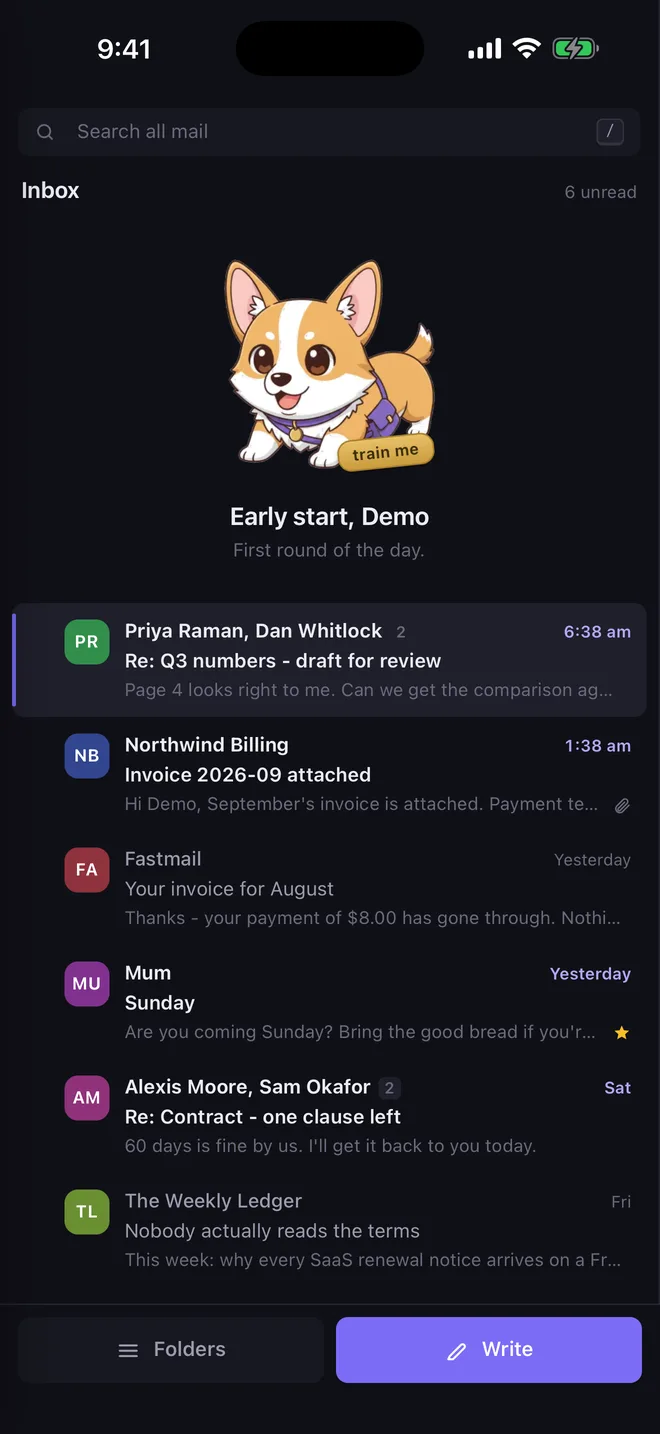
The same inbox, built for one hand.
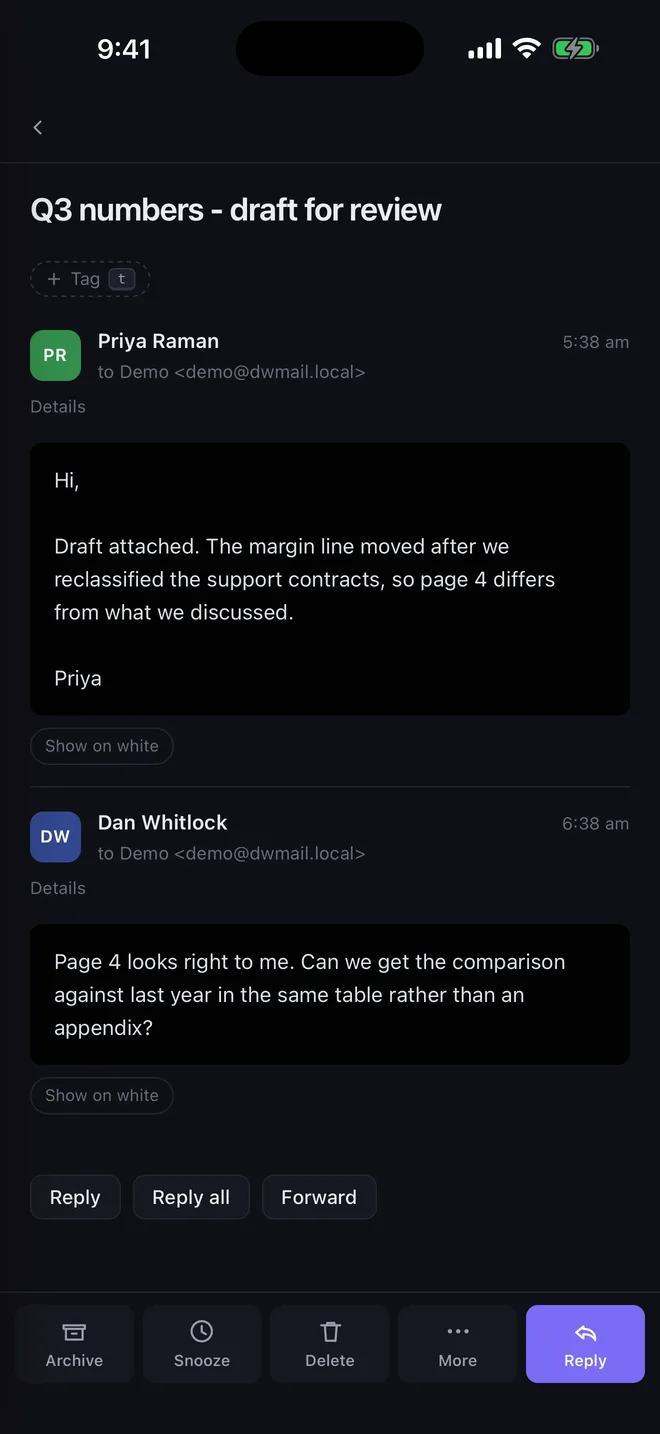
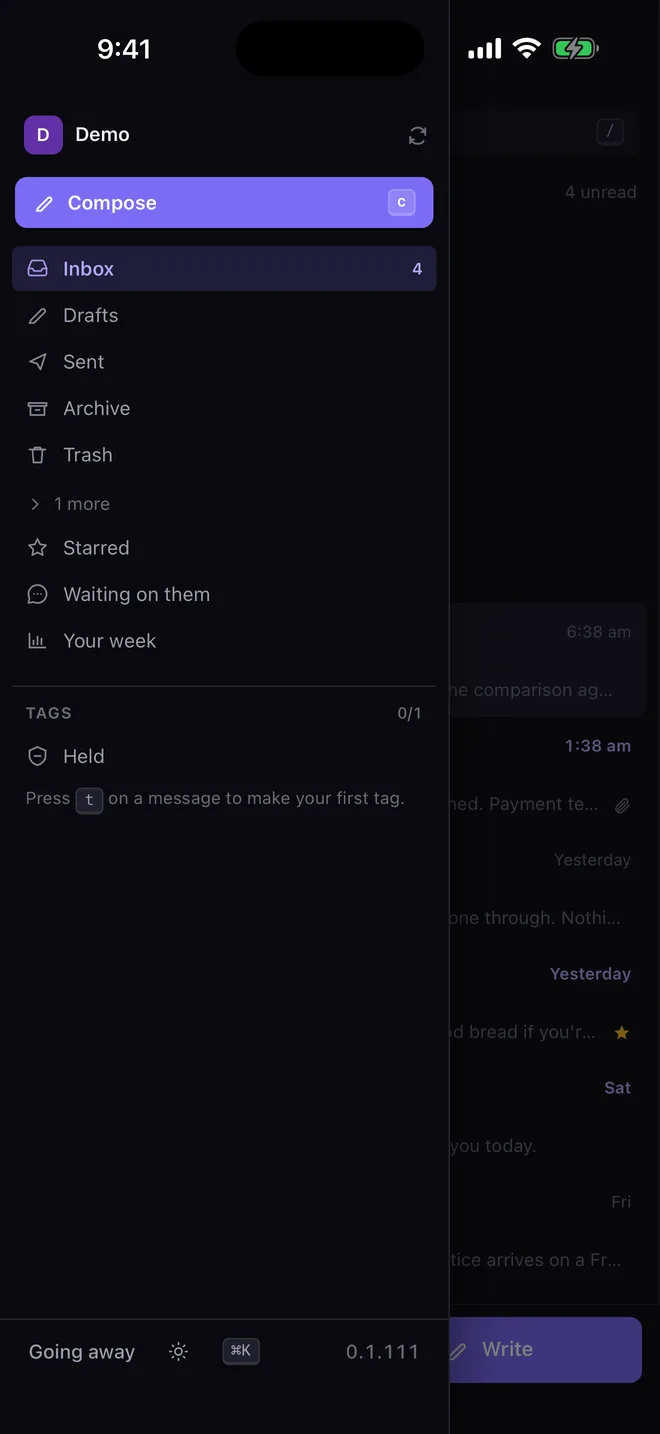
It is the same app on iPhone, iPad, Android and Windows, with the same tags, the same search and the same private model, laid out for the screen you are holding.
- Actions in a bar at the bottom, where your thumb is
- Threads, properly: one conversation, however many folders it landed in
- Reply beside what you are answering, with the quote folded away
- Search inside message bodies, with from:, has: and tag: filters

// private by design
Not private as a promise. Private because there is nowhere else for it to go.
The model is yours
It is built on your device from your own tagging, and it starts empty. Not trained on anyone else’s mail, not shared, never sent away to be improved.
Tracking pixels never fire
Remote images stay blocked until you ask, so opening a message does not tell the sender that you read it, when, or roughly where you were.
Nothing phones home on your behalf
Sender logos come from a pack inside the app, and links are checked against the address and the words in front of it, on the device, with no blocklist lookup. You can see where a link goes before you go there.
// on purpose
A mail app. Just that.
Everything left out was left out deliberately, and each one is a reason it stays fast. Where you want more, it comes from your DiscoverWorthy account, below.
Not a calendar
It answers a meeting invitation, because those arrive as mail. It will not become the place you plan your week.
On its own, not a CRM or a task manager
Those were bolted onto other mail clients and made the mail slower. If you want them, connect a DiscoverWorthy account below and they live next door, not inside the inbox.
Not a mail service, and not selling anything
We do not host or relay your mail. You do not need an account, and there are no ads in the inbox and nothing to buy inside it.
// part two — with your DiscoverWorthy account
Connect your business, and your inbox knows what is going on.
Everything above works on its own. If you also run your business on DiscoverWorthy, one sign-in links the two, and Mail stops being just a place mail lands: it knows your customers, your quotes and your work, so the email that needs sending shows up already written.
For the owner of a business that already runs on DiscoverWorthy.
The emails you owe, already written
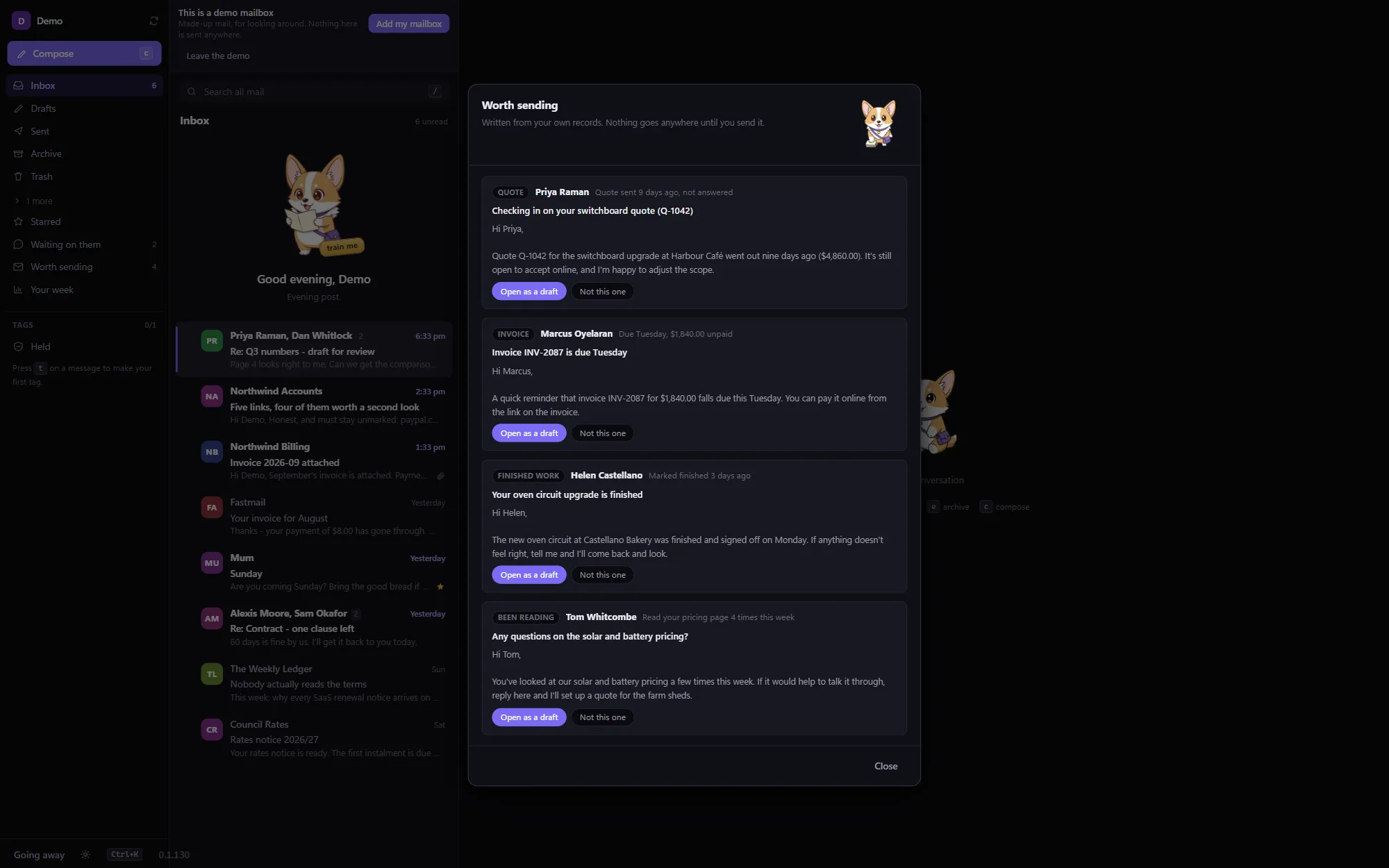
The quote nobody answered nine days ago. The invoice that was due on Tuesday. Work that just finished. Someone who keeps coming back to your site. Each one is drafted, addressed and waiting in a list. Nothing is sent: it opens for you to read and change first.
Every email lands on the customer’s record
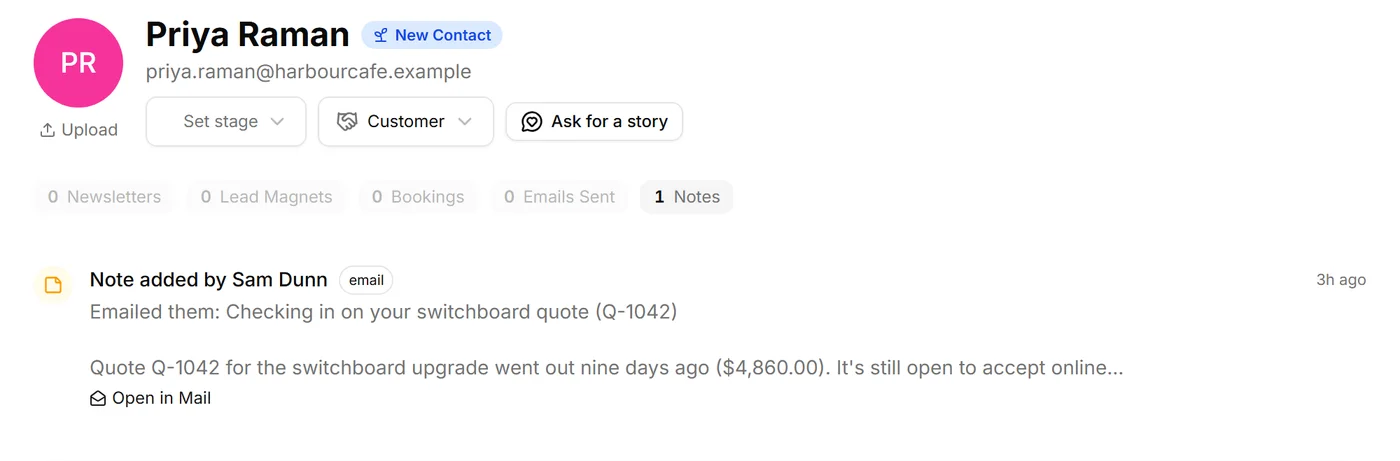
Send to someone who is already a contact and a short note goes on their record: the subject, the first few lines, and an Open in Mail link back to the exact email. No logging, no copying and pasting. Nobody new is added, and you can switch it off.
The customer beside the email, and a task in a tap
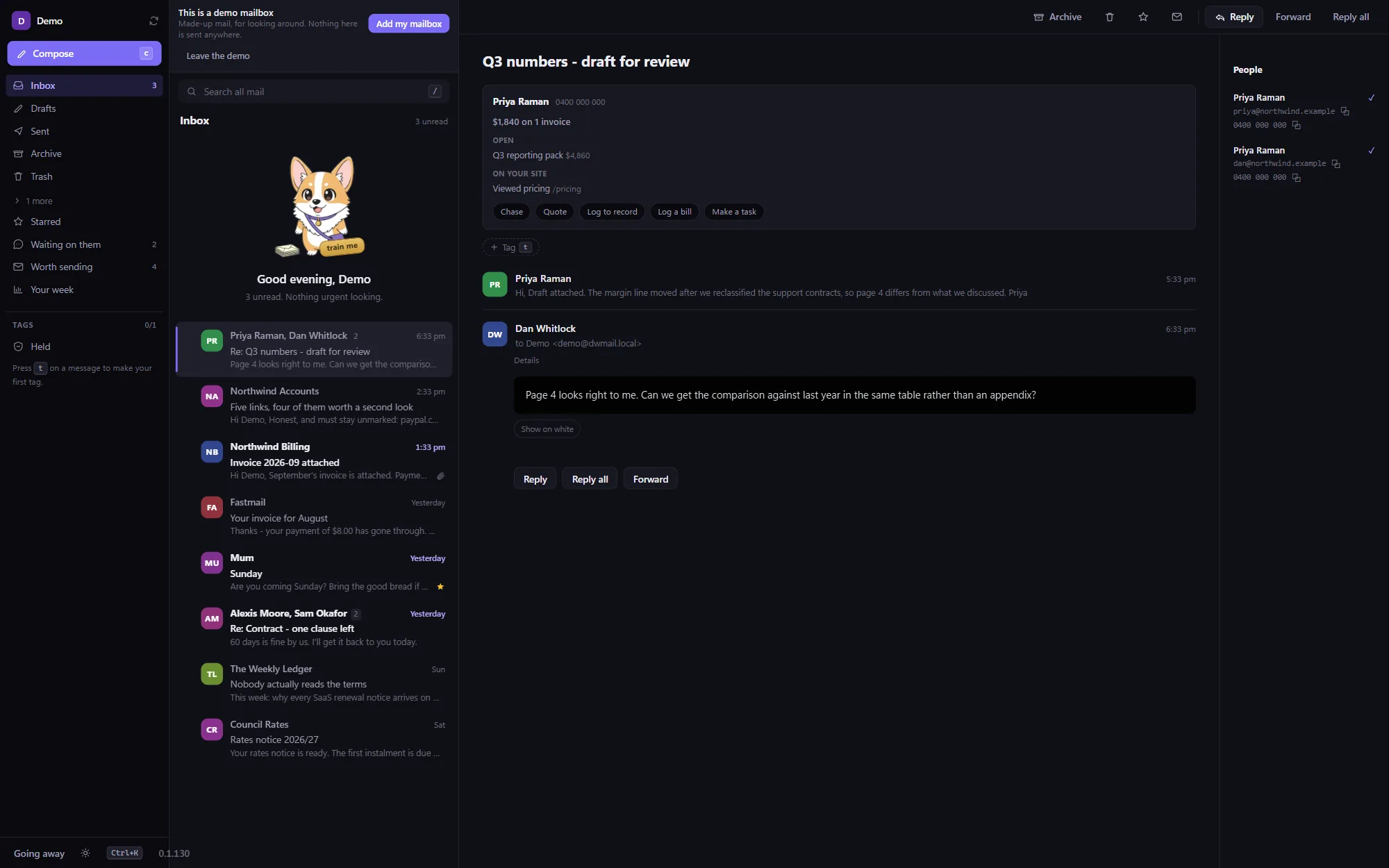
Open a message from a customer and a card shows what they owe, what is open and what they looked at on your site. Chase an unpaid invoice, start a quote, log a bill, or put the email on your task list with a day on it instead of snoozing it again.
Meeting notes arrive already written
Press Email on a meeting’s notes in Scratchpad and Mail opens a message to the people who were there, subject and notes filled in. Nothing to paste.
Replies that sound like your business
An optional Draft a reply button writes in the same voice your DiscoverWorthy site and mailbox already use, so the business sounds like one business. It is off until you turn it on, and pressing it says it is sending that message to your account to be read.
Your sender pictures, on every device
The pictures you have given people follow you to your phone and any other machine you sign in on. Off until you ask, and only a web address and a logo travel, never mail.
Connecting takes a minute
- Open the connection settings in Mail and choose Connect DiscoverWorthy.
- Your browser opens: sign in and pick which business.
- Done. Each of the above can be switched off on its own.
What travels, and what never does
- Your mail stays in your mailbox and on your device, and connecting does not copy it to us. The one exception is the optional Draft a reply button, which sends only the message you press it on.
- The drafts of emails you owe come from your own records, and Mail reads none of your mail to make them.
- A note on a customer’s record is written on your device: the subject and a few lines, with greetings, signatures and earlier messages left off.
- The sorting model still lives on your device. Connecting does not upload it.
// get it
Up and running in a minute.
iPhone, iPad and Android
Install it from the store, add your mailbox, and start tagging. The store updates it for you.
Windows 10 / 11
The installer is signed by Discover Worthy Pty Ltd. On a new release Windows may still say “Windows protected your PC” while the download builds reputation: choose More info, then Run anyway. Updates download quietly and ask before restarting.
Download for WindowsMicrosoft 365, Outlook.com and Hotmail sign in with a tap. Anything else that speaks IMAP works too, including Gmail with an app password.
// start here
Take your inbox back off the internet.
Free, quick to set up, and simple enough to put on your mum’s phone, which is exactly why it was built.
Free · iPhone, iPad, Android, Windows 10 / 11